You own it. An AI CEO runs it.
Raise a pixel building on your PC and start a company. Instead of asking one AI to do everything, give each employee the AI that's best at their job. The CEO splits the work, has it cross-checked, then sends it to you for approval. Start right away with free AIs or the subscriptions you already have.
 PIXENTOR
Connect everything you can
Chat AI · image · video · music · voice AI · work tools — about 260 in all. Everything you connect becomes a skill your staff can use.
Don't make one AI do everything Give each employee the AI that does it best
Hand your connected AIs out to individual employees. Claude writes, FLUX draws, Runway makes video — the best in each field work at the same time in one company, and the CEO splits, reviews and merges it into one result.
- Splitting, review and the final report go to your strongest connected AI
- When one AI hits its limit, the next one carries on
- Each employee's result is passed straight to the next
- Build the team on free AIs; use paid AIs only where they matter
One line moves six AIs
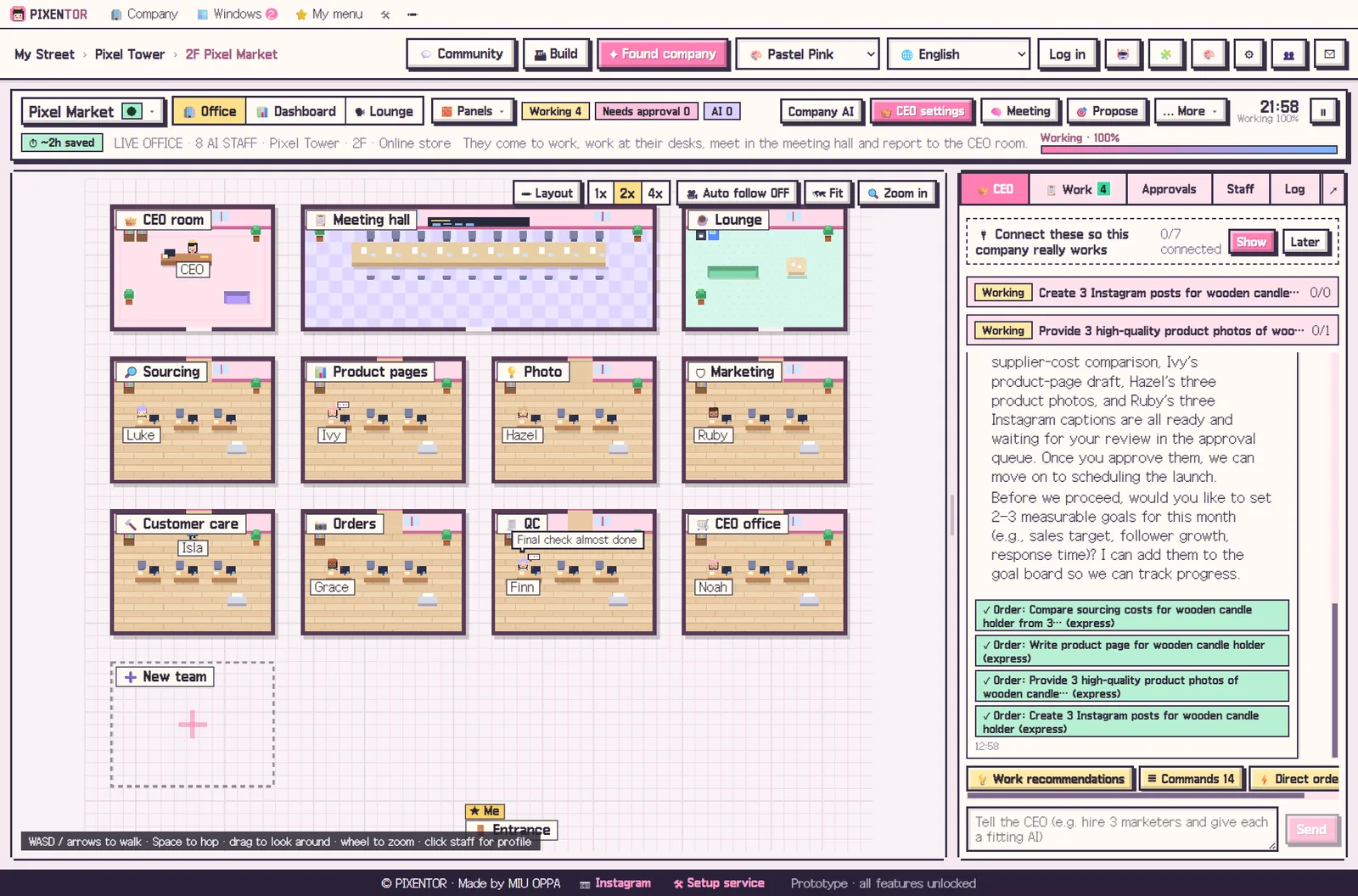
Tell the CEO and the work is split across the right AI for each employee. They hand results to each other, pass QC and land in your approvals.
A living office doing real work
Staff arrive, work at their desks, gather in the meeting room and report to the CEO. Behind the animation, real AI work is running.
Everything you need to run an AI team solo
This isn't an AI chat that does one thing at a time. The strongest AI for each field works side by side in one company, and the CEO runs it.
Run by an AI CEO
Describe your company in one line and the CEO builds the team, sets goals, and recommends missing departments, AIs, and connections — with reasons. CEO notes and company history keep track of past work.
Departments work in parallel
Departments at the same stage work at once; later stages wait only when they need earlier results. Polish and final-review teams check facts with web search at the end.
Use the subscriptions you have
Install and sign in to Claude Code (Claude plan), Codex (ChatGPT plan), Antigravity (Google AI plan), Copilot, and Cursor with one click and assign them to staff. No API fees — work stays within your plan limits.
Start free
Get to work instantly with free AIs that need no sign-up. Bundle 20+ free AIs, and when one hits its limit the next one picks up.
260 connections, beginner-friendly
Chat AI, image, video, music, voice, programs (MCP), and outside services all in one connection center. Just copy a key and it fills itself in; if you get stuck, a connected AI walks you through to the end.
Image · video · music · voice
28 specialist AIs like FLUX, Runway, Kling, and ElevenLabs feed straight into your staff's work. Posting, ads, and uploads run only after you approve.
90 skills · skill market
Staff pick 1–3 skills that fit each task on their own. Install popular skills from the market with safety checks, or create new ones just by describing them.
Dashboard · history · auto backup
Goals, tasks, approvals, results, revenue, and calendar on one screen. Approved work builds your company history and is backed up to a folder, the cloud, or a private GitHub repo every time you approve.
10 languages · 15 themes · mobile
Switch languages and even staff names change to match. Decorate with expansion packs like Office Pro, AI robot staff, and animal staff, and approve or give orders from your phone.
What people are doing with PIXENTOR lately
Recently added features. The app updates itself.
Plaza · visit other companies
Owners open their companies on the street and visit each other. Walk the plaza together and share know-how, skills, and company setups on the board (auto-translated into 10 languages).
Dev mode
Connect your project and Claude Code or Codex staff fix and test it on a copy, another AI reviews it, and you see before-and-after screens. Nothing merges into the original until you approve.
Planning meetings with real debate
Attendees read the same material, propose their own ideas, then challenge and revise each other. The agreed plan and an issues table come to you for approval.
Routines
Ask once and the company keeps doing it — a morning briefing every day, competitor news every week, or whenever a new file appears.
Staff who remember
Each employee pulls only the memories they need from past work. Even if you rehire them, their memory carries over.
Build your own screens
Say "make me a sales trend screen" and, after approval, a new tab appears with metrics, tables, and charts.
The CEO sees and uses your PC
The CEO reads the screen as text and checks web pages and even text inside images to help with work. Risky actions always ask first.
Office Pro · AI robot staff
An all-in-one design pack that changes offices, buildings, fonts, and icons, plus AI robot staff. Turn it off and everything goes back.
From one line to an approved result
So mixed AIs stay steady, splitting, review and the final report go to the strongest AI you have connected.
- ✍Your orderOne line in the order box or the CEO chat.
- 🧑💼Leads split itWork is cut up by each person's AI strengths.
- ⚡Parallel workTeams on the same stage work at once.
- 🔁Cross reviewStaff check each other's results.
- ✏️Refine · QCPlagiarism, sources and prices really checked.
- 📝Final reportWhat, why, and what you need to decide.
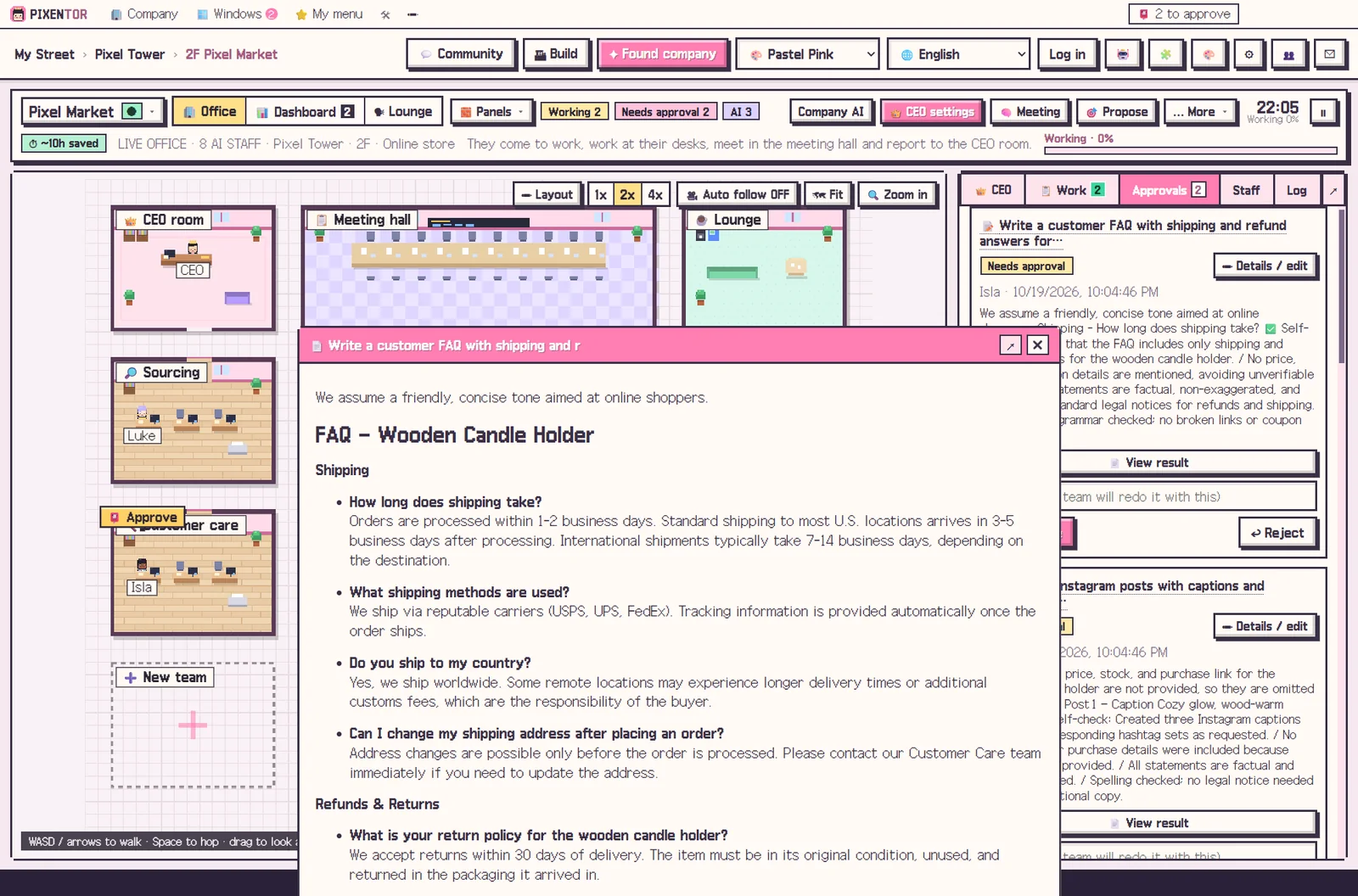
- 📮ApprovalEdit, approve, and run outside actions.
- 📒Ledger · backupThe next job starts from here.
40 templates, revenue model included
A template sets up teams, staff, skills and QC checklists, plus a one-line revenue model, suggested services and the media AIs you need. The CEO uses it to recommend what to connect.
💼Business10
🎬Creators10
🚀Startups5
🧑💻Freelance pros5
📚Study & life10
Your AI company in just 5 minutes
No hard setup. AIs connect automatically in a few clicks, and the CEO leads the rest of the setup.
Install & build
Pick a drive for your data and raise your first tower.
Start a company
Pick a template or describe what you want to do.
AI connects automatically
Free AIs connect with one button; Claude Code and Codex install and sign in automatically. Where a key is needed, just copy it and it fills in by itself.
Order & approve
One line and the staff work, then send results to your approvals.
The final call is always yours
The AI never posts or spends on its own. Your files and keys stay on your PC.
- Posting, ads, uploads and payments run only when you approve
- Four levels of CEO authority — you decide how much to hand over
- Daily call and cost limits stop work automatically (paid media included)
- Steer or stop work in progress
- MCP tools that change things outside always wait for approval
- Files, records and AI keys stay on your PC, keys encrypted by the OS
- We never take passwords — you sign in on each provider's own page
- Skill scripts run only when you allow them
Pricing
Every feature is free right now. PRO is coming soon.
Free
- 1 building · 3 companies
- Every feature (AI staff, meetings, approvals, 40 templates)
- Every way to connect AI · free AI bundle
- Upload and download in the skill & pack market
PRO Monthly Coming soon
Billed monthly · cancel anytime
- Unlimited buildings and companies
- Phone remote (approve and give orders on the go)
- More companies shown on the plaza
- Get new features first
PRO Yearly Coming soon
Billed once a year · cheaper than monthly
- Yearly discount
- Unlimited buildings and companies
- Phone remote (approve and give orders on the go)
- More companies shown on the plaza
- Get new features first
You pay AI usage directly to each AI company (subscription or API). Use only free AIs or subscriptions you already have and there's no extra cost.
FAQ
How is this different from using one AI?
One AI does one thing at a time, and some jobs like images or video it can't do at all. PIXENTOR gives each employee the AI that's best at their job so they work at the same time, and the strongest AI splits the work, reviews it, and combines it into one result. If one AI hits its limit, another takes over.
Is it really free?
Yes. The app starts free, and you can put staff to work right away with no-sign-up free AIs and a bundle of free-tier AIs. If you add paid AIs, you pay only those fees, directly to that company.
Do I need to know how to code?
No. The connection center guides you in 3 numbered steps, and copied keys fill in automatically. If you get stuck, a connected AI points you to the exact menu names, and the CEO leads the rest of the setup.
Where is my data stored?
Your company folders, results, and AI keys all stay on your PC. The server only handles sign-in, updates, and relaying the phone remote — and even with remote on, only short summaries pass through.
Will the AI post or pay for things on its own?
No. Anything that goes outside runs only when the owner approves it in the approval inbox. You choose how much to trust the CEO with 4 permission levels.
Which AIs can I use?
APIs like Claude, GPT, and Gemini, Claude Code and Codex subscriptions, local AIs like Ollama, 20+ free AIs, 28 image, video, music, and voice AIs, plus tools like Notion, Slack, and GitHub — over 260 connections in all.
I already pay for ChatGPT or Claude. Do I pay more?
No. Claude Code (Claude plan), Codex (ChatGPT plan), Antigravity (Google AI plan), and others sign in with your own subscription. There are no separate API fees — work stays within each plan's limits.
Is my company shown on the plaza?
Only companies you choose to make public appear on the street. Files, results, and AI keys on your PC are never made public.
How do I contact you?
Email hello@pixentor.com. You can also send a message from 🆘 Get help in the app settings.
Does it work on Mac?
Right now only Windows 10/11 is supported. A Mac version is planned.
A 'Windows protected your PC' window appears when installing.
This shows because the app isn't code-signed yet. Click [More info] → [Run anyway] to install. Updates happen automatically — the app downloads only what changed.

Your AI company in just 5 minutes
AI connects automatically — one button and everything from free AIs to Claude Code and Codex is hooked up.
⬇ Free download for Windows